- JustDo
- Live Demo
- Features
- What's New
- Blog
- Contact
- Mobile
- Install on iPhone
- Install on Android
- Legal and Privacy
- Terms and Conditions
- Privacy Policy
- Cookie Policy
- Copyright Notice
- Trademark Policy
- Access Request Form
- EU and Swiss Privacy Shield
- Services
- Support
JustDo, one tap away.
2026-10-22
Keep your work close. Add JustDo to your phone's home screen and open your workspace just like an app.
No app store download needed.
Safari
Install on iPhone
Open your JustDo workspace in Safari, then follow these four steps.
-
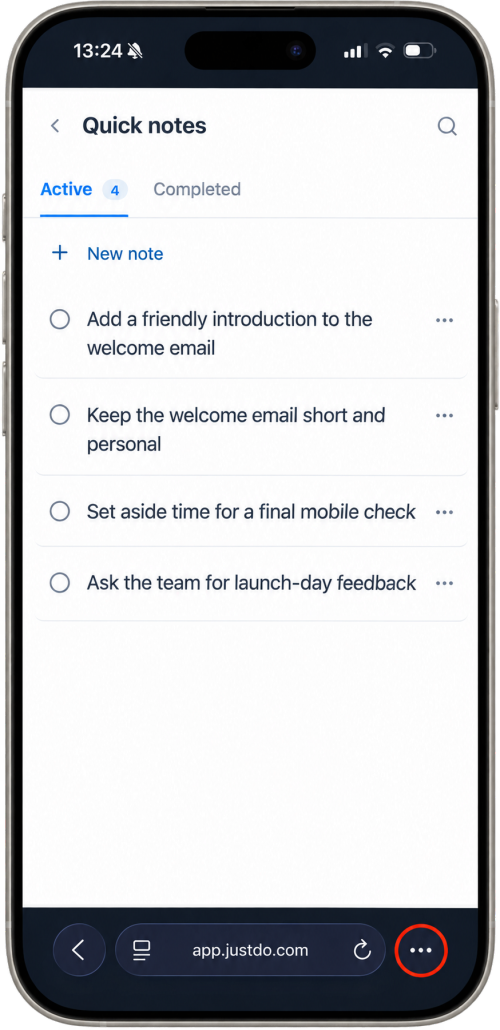
Open Safari's menu
Tap the three dots beside the address bar. If you already see the Share button, tap it and skip to step 3.
-
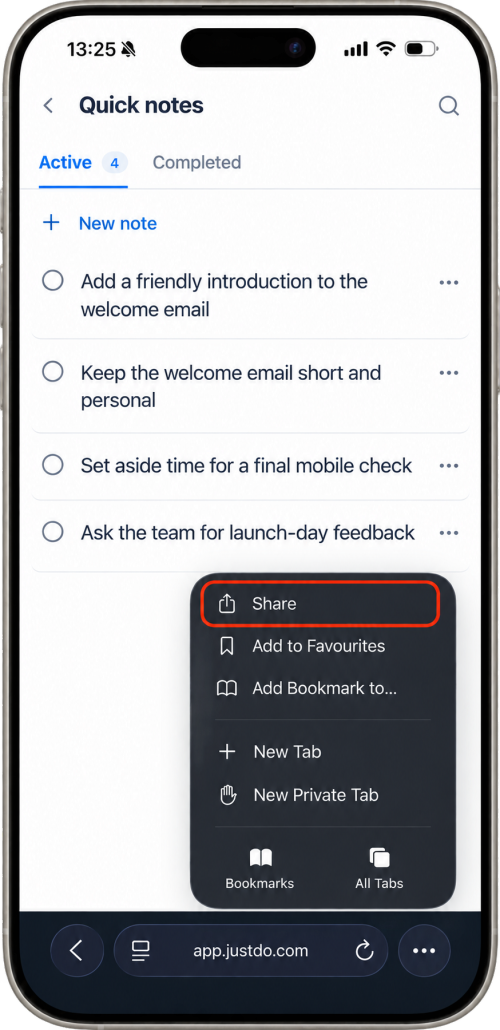
Tap Share
Choose Share from Safari's menu to open the sharing options.
-
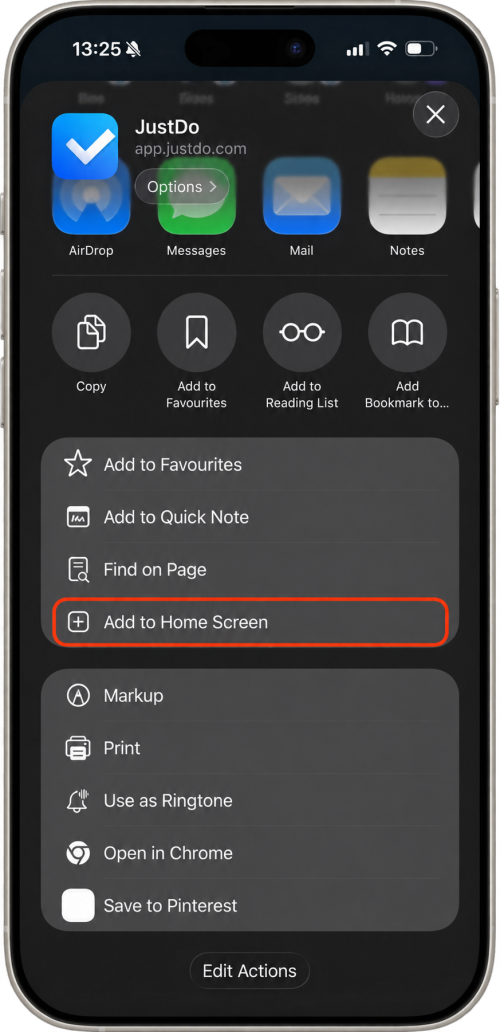
Add to Home Screen
Scroll down the share sheet and tap Add to Home Screen.
-
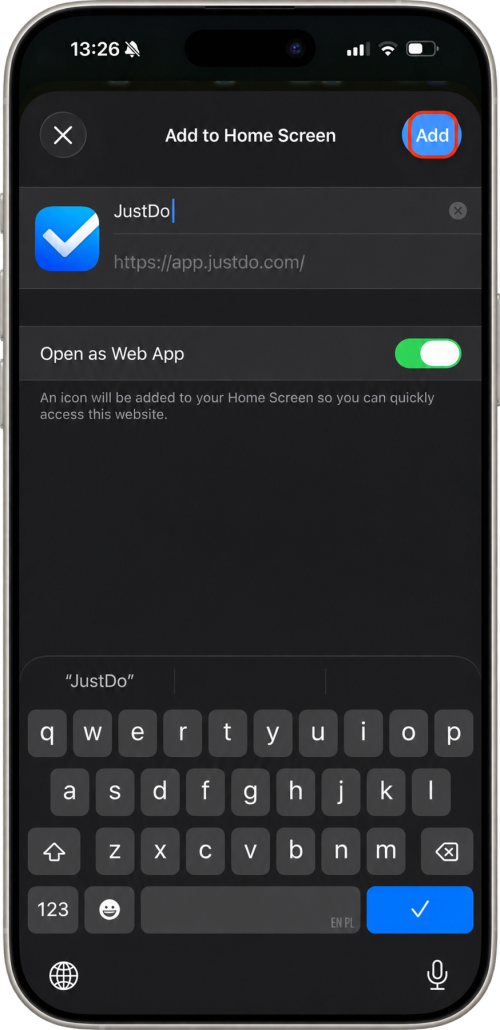
Confirm with Add
Keep Open as Web App turned on if shown, then tap Add. Your JustDo icon is ready.
Safari's toolbar can appear at the top or bottom of your screen. Look for Share: a square with an upward arrow.
Google Chrome
Install on Android
Open your JustDo workspace in Google Chrome, then follow these steps.
-
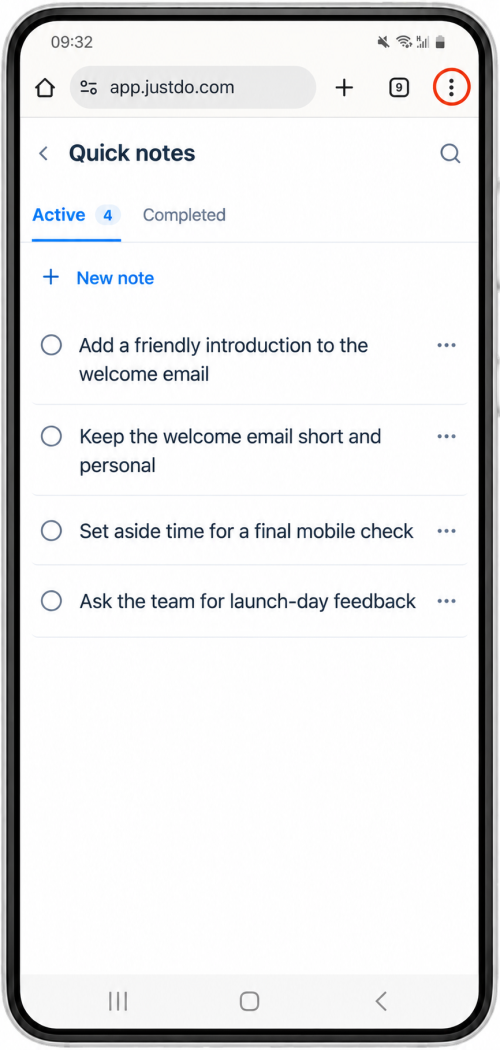
Open Chrome's menu
Tap the three dots at the top right, beside the address bar.
-
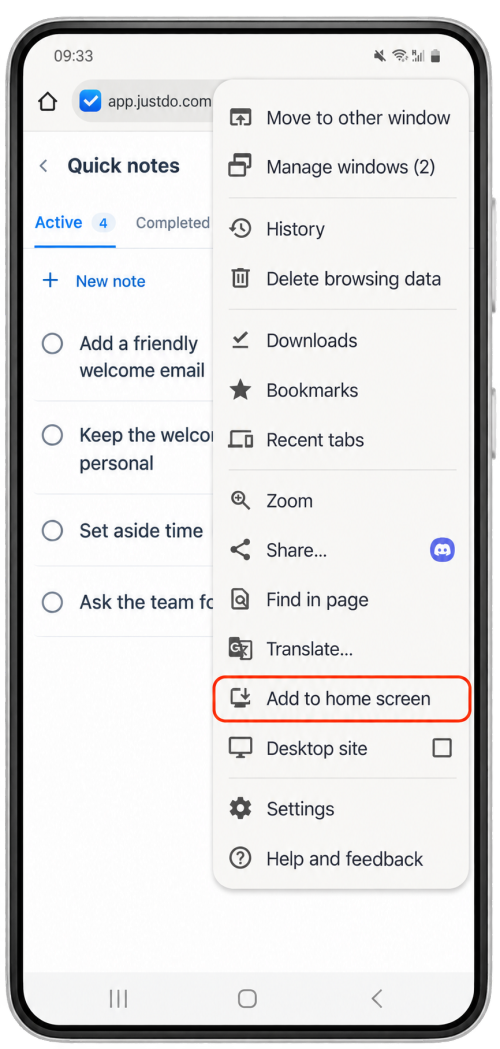
Find the install option
Tap Add to home screen. In newer Chrome versions, this may be called Install and create shortcut.
-
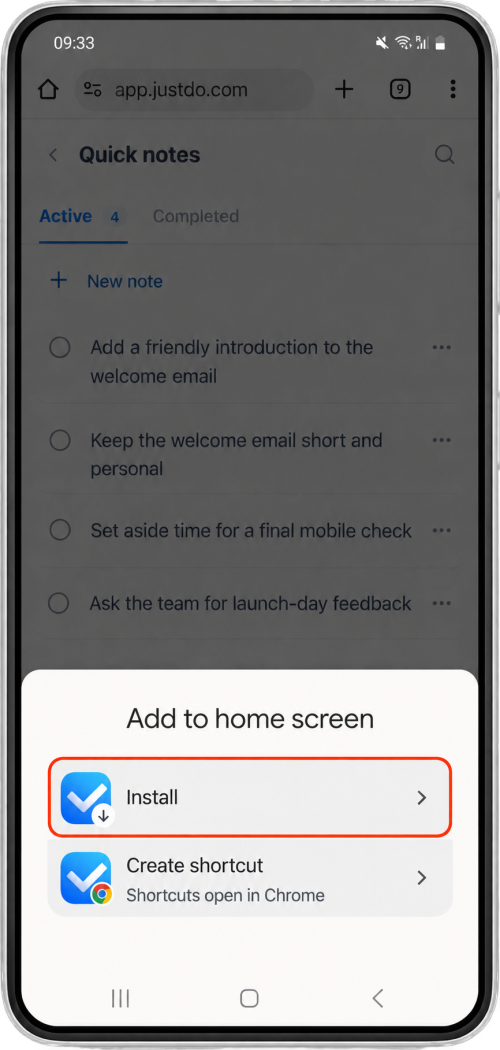
Choose Install
Choose Install, then confirm any remaining prompt. Chrome adds JustDo to your phone.
If Chrome offers both Install and Create shortcut, choose Install for the app experience. The exact menu wording varies by browser version.

Your workspace has a new front door.
Look for the JustDo icon on your home screen. Tap it to open your workspace, and sign in if prompted.
A little help, if you need it
Which JustDo address should I use?
Use the address where you normally sign in to your JustDo workspace. Your organization may have its own address. Open that workspace before installing; adding this help page would save the guide instead of your work.
I can't find the install option.
Open the workspace directly in Safari on iPhone or Chrome on Android, rather than inside an email or messaging app. On iPhone, scroll down the share sheet; if needed, use Edit Actions to add Add to Home Screen. On Android, check whether JustDo is already installed.
Do I need a new account?
No. Use your existing JustDo account and your usual workspace address. You may be asked to sign in again when you first open the installed web app.
Do I need an internet connection?
Use JustDo with an internet connection. Adding it to your home screen gives you a convenient way to open the web app; it does not turn it into a separate offline copy.
I already have JustDo Go. Can I try this too?
Yes. You can add the web app alongside JustDo Go and sign in with the same account. There is no need to remove JustDo Go to try it.
Illustrations adapted with JustDo screens. Browser controls are shown in English and may vary with your phone's language and software version.
If you can not find the answer, please contact our service center.
Ask a question